See exactly what SDS Desk produces.
Five real documents generated by SDS Desk for one example product, copper sulphate pentahydrate. Open them, read them, and judge the output before you sign up.
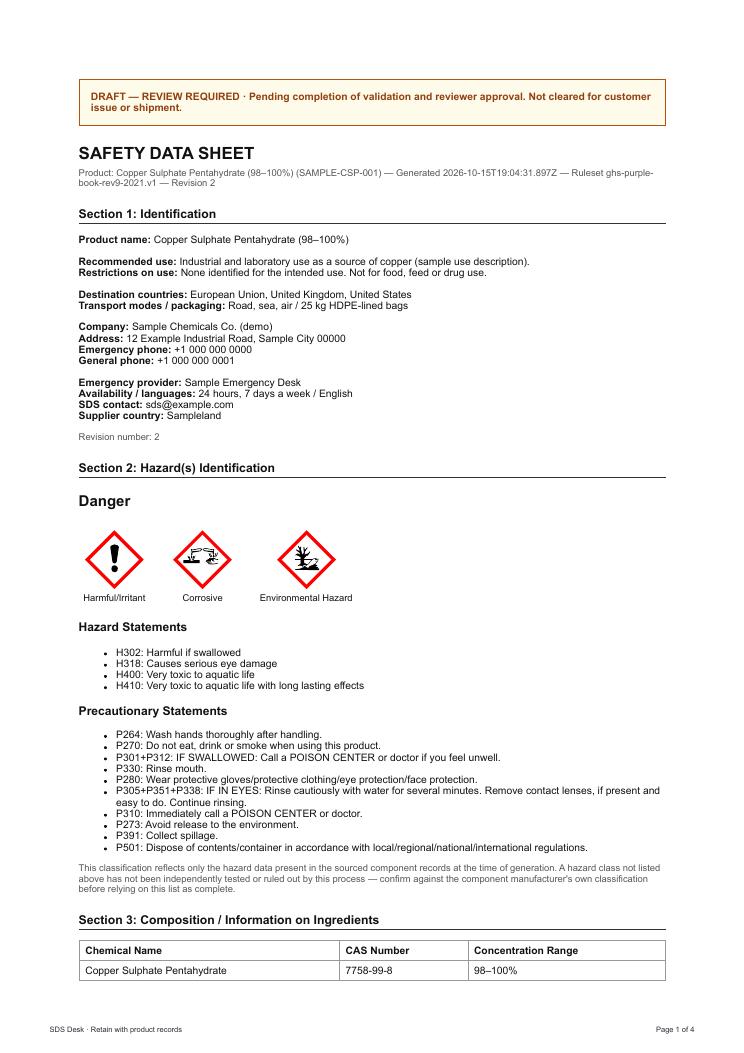
Safety data sheet (SDS)
The standard 16-section SDS. Section 2 carries the computed signal word, pictograms and H and P statements. Sections 4 to 16 are filled from sourced data, and anything the sources do not cover is shown as a data gap instead of a guess.
- Signal word, pictograms, hazard and precautionary statements
- Composition table with CAS numbers and concentration ranges
- Physical properties, exposure limits and transport data with their sources
- Explicit "data gap, not a finding" wording where data is missing
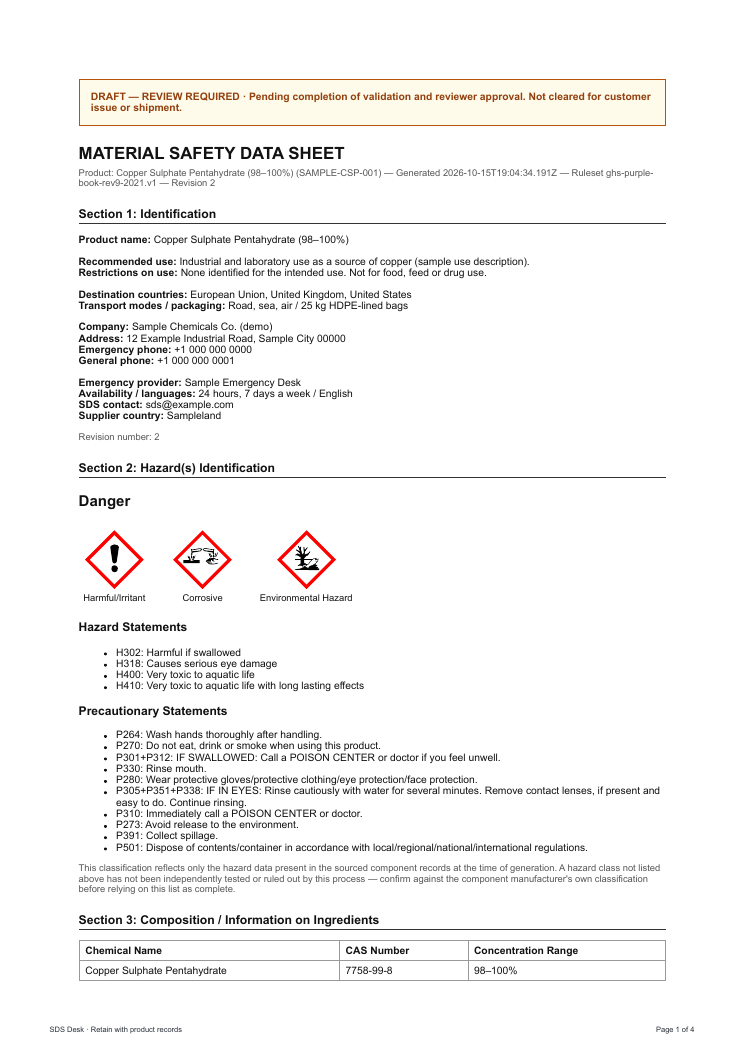
MSDS format
The same record presented under the older MSDS title that some customers and customs offices still ask for. It carries the same classification and sections.
- Same content as the SDS under the MSDS title
- Useful for customers who still request an "MSDS"
- Generated from the same product record, so nothing drifts
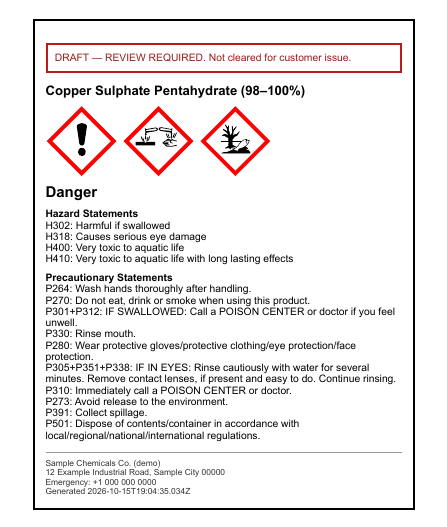
GHS hazard label
A container label with the product name, GHS pictograms, signal word, hazard statements, precautionary statements and your company and emergency details.
- Pictograms drawn to GHS diamond format
- Statements taken from the same classification as the SDS
- Supplier identity and emergency number
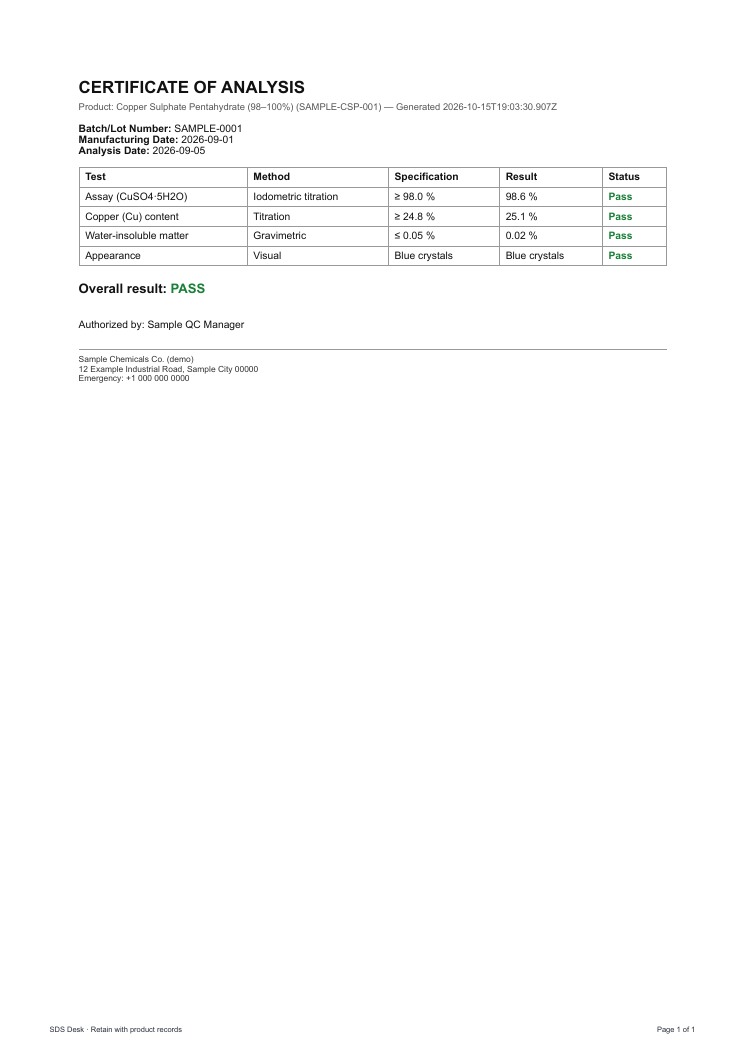
Certificate of analysis (COA)
Batch number, dates, each test with its method, specification and result, a pass or fail status and an overall result. All values in this sample are invented for demonstration.
- Batch, manufacturing and analysis dates
- Test, method, specification, result and status
- Overall result and authorised signatory
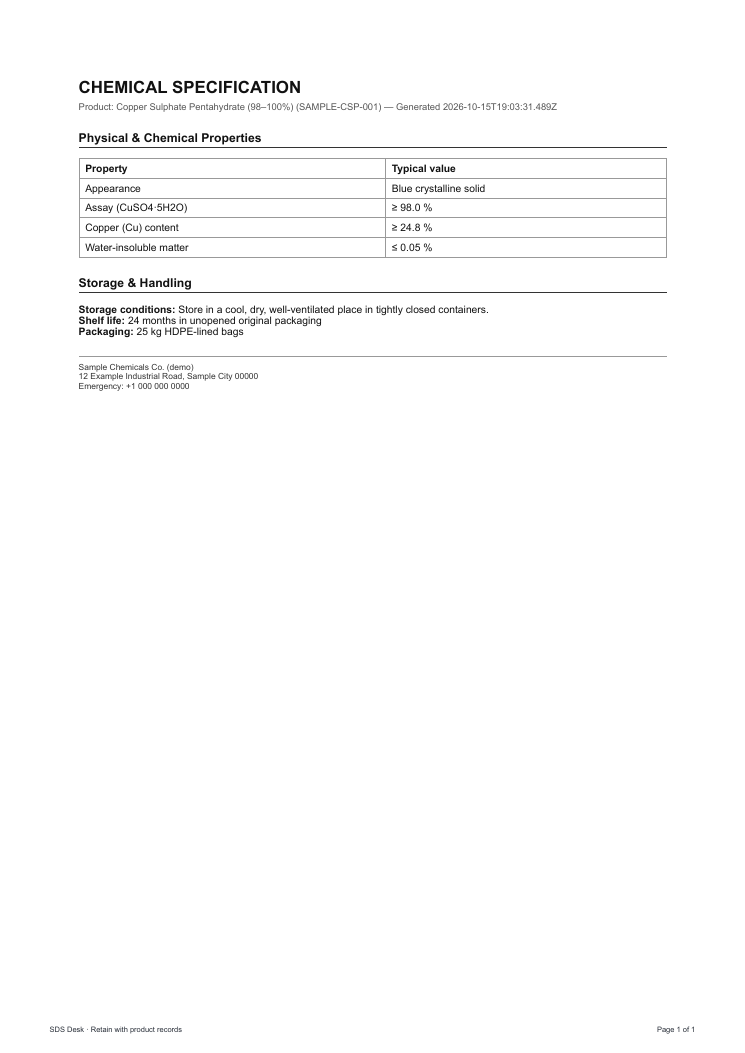
Product specification
A specification sheet with your typical properties and acceptance criteria, plus storage, shelf life and packaging. All values in this sample are invented for demonstration.
- Property and typical value table
- Storage conditions, shelf life and packaging
- Company and emergency details
What happens between draft and issued
- 1. Generate. Add the composition and SDS Desk classifies it and drafts the sections from sourced data.
- 2. Complete. Fill any gaps, such as use restrictions, test data and disposal rules for your jurisdiction.
- 3. Review and approve. A reviewer works through the release checklist and signs off a specific version.
- 4. Issue and keep the record. The approved PDF is saved with its sources, classification trace and version history.
Want the detail? Read how it works or the guide to the 16 sections of an SDS.
Make these for your own products
Start a 3-day free trial and generate your first SDS, label or certificate of analysis today.